THE WHOLE MANUSCRIPT
Structure without the scramble
Organize books into pages and chapters, keep separate drafts close, and move from a single line to the shape of the whole story.
Pro Author · Your book, finally in order
Map characters, shape chapters, draft with AI, and keep every note moving toward the same ending.
Free to download
Pro Author subscription required
Built for the long story
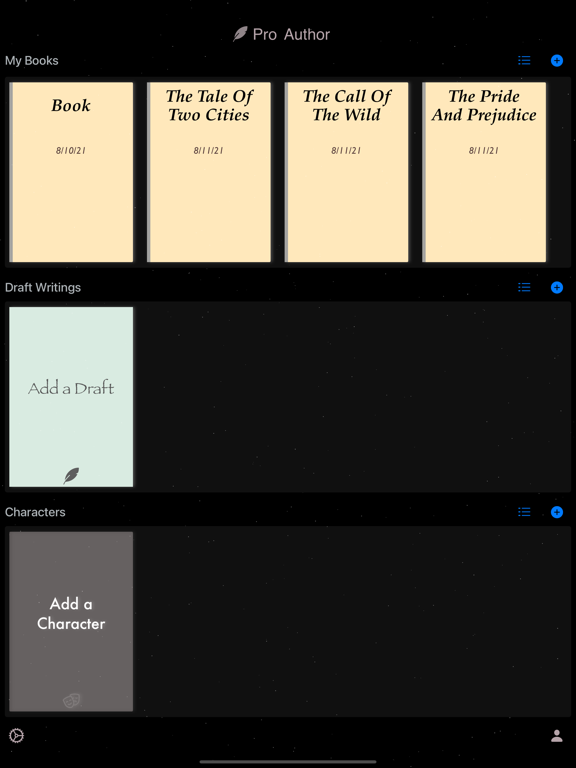
Pro Author gives novelists, short-story writers, and aspiring authors one place to develop the work without losing the thread.
THE WHOLE MANUSCRIPT
Organize books into pages and chapters, keep separate drafts close, and move from a single line to the shape of the whole story.
Keep the draft moving when the next line will not come, without leaving the book you are building.
Review the book with AI while its pages, chapters, and character notes stay close.
Create characters and record the details that keep development consistent.
Work quickly with the keyboard bar, Quick Add, Quick Copy, and side notes.
Export your books and save them to the cloud for access across your devices.
Inside the writing room
Explore the real Pro Author workspace.
From blank page to book
Start with whatever you have—an idea, a character, or a rough scene—and give it a place to grow.
Download Pro Author, then choose a subscription to access the app’s book-writing capabilities.
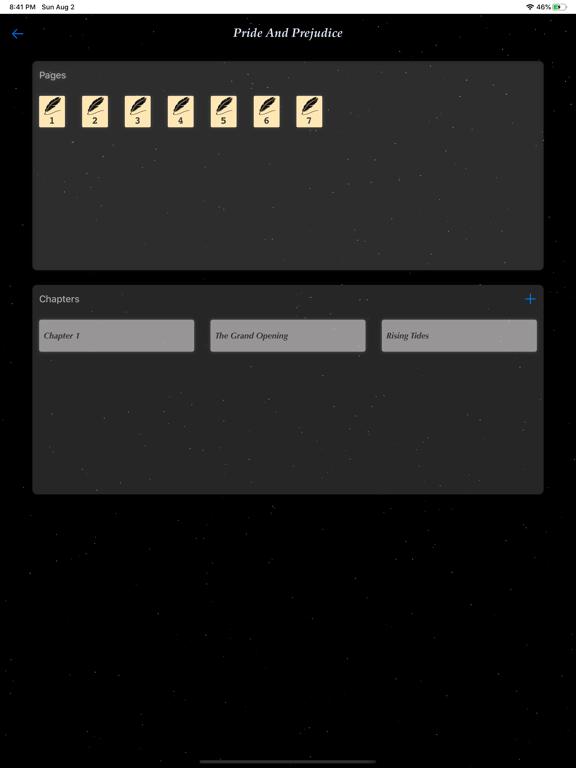
Create the book, add characters, collect side notes, and arrange drafts, pages, and chapters.
Draft and review with AI, refine with fast editing tools, then export or save your book to the cloud.
Before the first chapter
What to know before making Pro Author part of your writing practice.
The app is free to download. Access to its capabilities requires a Pro Author subscription: $1.99 per month or $11.99 per year.
You can create books, characters, drafts, pages, chapters, and side notes, keeping the parts of a manuscript connected in one workspace.
Pro Author includes AI Auto Writing for drafting assistance and AI Book Review for reviewing your work.
Yes. The subscription capabilities include exporting books and saving them to the cloud so you can reach them from your devices.
Book Creator - Novel Writing requires iOS 15.0 or later. The App Store listing shows current device compatibility.
No. It is designed for novels, short stories, and creative writing, whether you already write regularly or are just beginning.
Your story already has a beginning
Practical resources
Short, focused guides for the questions people ask before and after they use the app.